Root Meridian Part 3: The Needle Flies, the Speaker Speaks
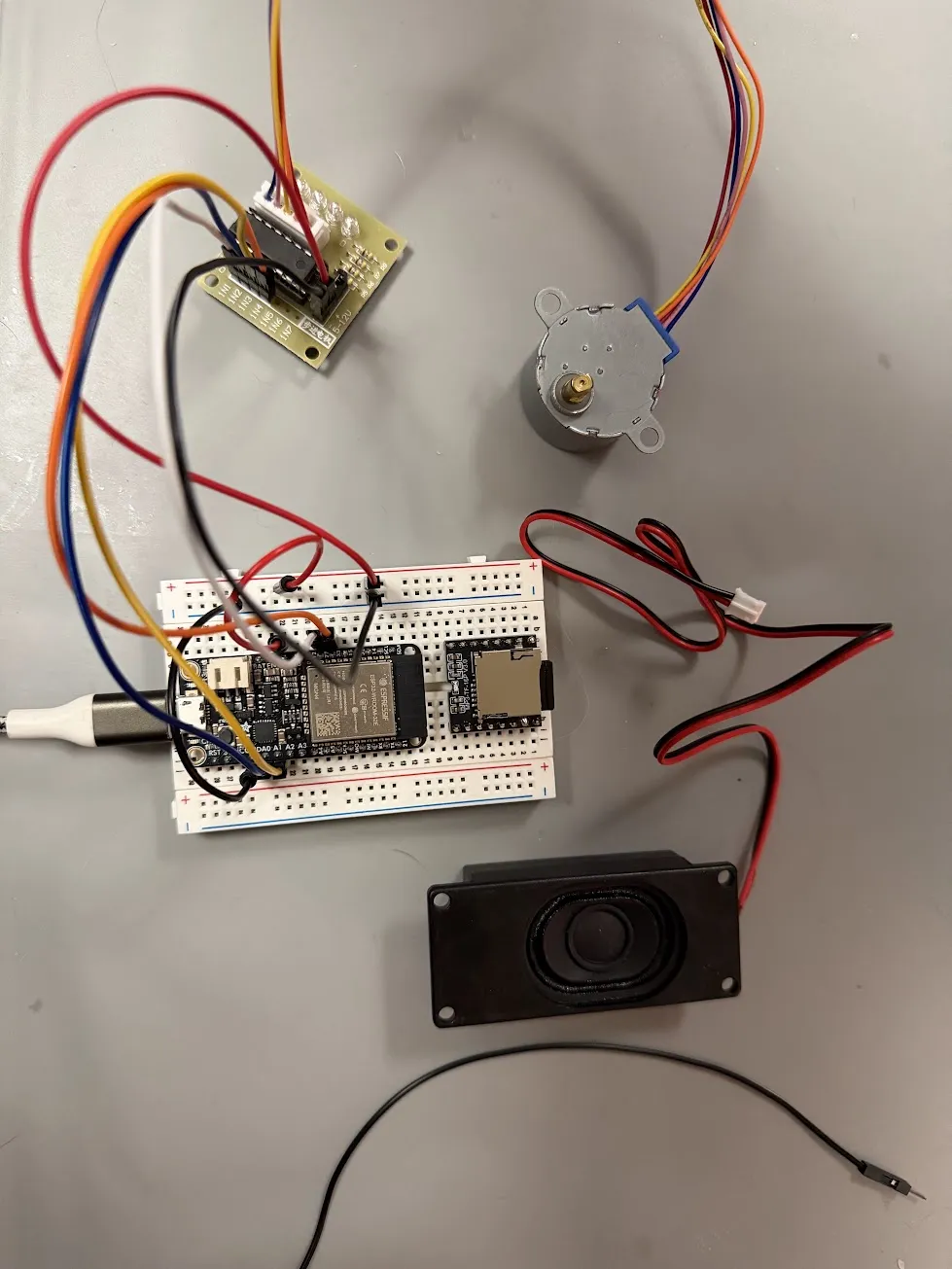
Last post ended with a known open item: a delay(16) in the main loop was putting a ceiling on how fast the stepper motor could actually move. The motor worked — it just wasn’t moving anywhere near the speeds the AccelStepper library was configured for. I said I’d fix it once the full system was wired together.
This session I fixed it, added audio, and heard the whole thing work for the first time. It sounds exactly like I imagined.
Finally Fixing the delay(16)
The issue: AccelStepper needs stepper.run() to be called as often as possible. It manages its own step timing internally using micros(). When I had delay(16) blocking the loop, the motor was only getting a chance to step ~62 times per second — nowhere near the 1800 steps/second target for erratic mode.
The fix wasn’t complicated. The delay(16) was there to rate-limit the LED animation to ~60fps, which is sensible. But it was wrong to rate-limit the whole loop when only the LEDs needed that cap. The solution: move the timing logic into the LED function itself, so each subsystem owns its own cadence.
// Before: entire loop blocked at ~60fps
void loop() {
  motorUpdate();   // wants to run every microsecond
  ledUpdate();
  delay(16);       // blocking everything for 16ms
}

// After: motor runs every iteration, LEDs self-gate
void ledUpdate() {
  static uint32_t lastLED = 0;
  uint32_t now = millis();
  if (now - lastLED < 16) return;   // LED's own rate gate
  lastLED = now;
  // ... render LEDs
  ring.show();
}

void loop() {
  motorUpdate();   // runs every iteration, no delay anywhere
  ledUpdate();     // returns immediately if <16ms has passed
}
The difference was immediately obvious. Erratic mode — where the needle is supposed to whip around chaotically before locking on — actually looked chaotic for the first time. The slow lock-on crawl felt properly dramatic. Before this fix I was listening to AccelStepper’s speed settings and wondering why they weren’t doing anything.
The broader lesson: each subsystem should own its own timing. Don’t let one component’s cadence requirements bleed into everything else.
Adding the DFPlayer Mini
The DFPlayer Mini is a small serial-controlled MP3 player. You wire it to the ESP32 via UART, send it a play command, and it handles everything else — SD card reading, MP3 decoding, amplification, speaker output. For a prop, it’s basically perfect.
The wiring is six connections:
DFPlayer Mini          ESP32 HUZZAH32
─────────────          ──────────────
VCC          ────────  3V
GND          ────────  GND
TX           ────────  GPIO 16  (UART2 RX)
RX           ──[1kΩ]── GPIO 17  (UART2 TX)
SPK_1        ────────  Speaker +
SPK_2        ────────  Speaker −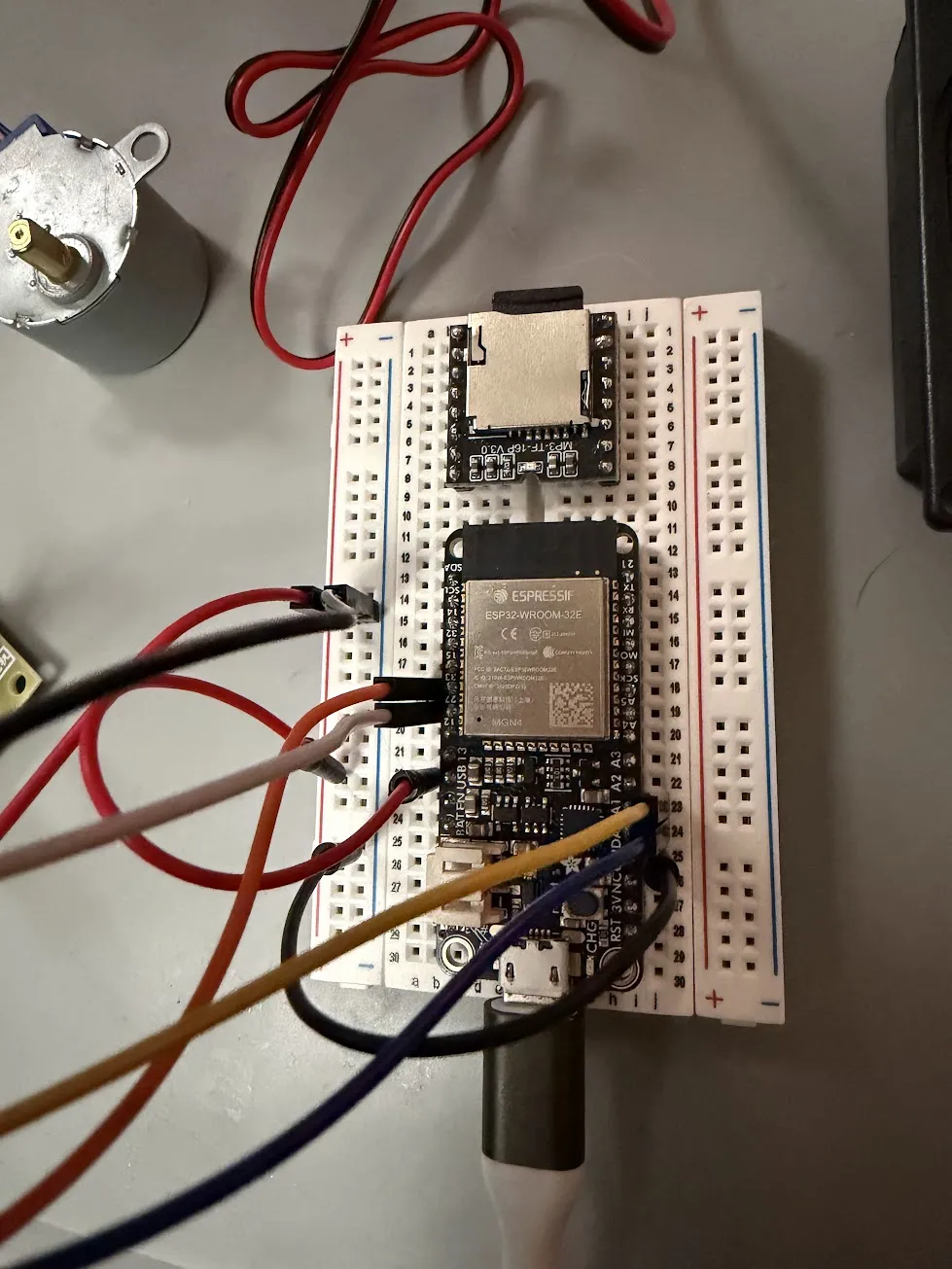
The 1kΩ resistor on the RX line protects the DFPlayer’s input from the ESP32’s 3.3V signal. It’s not optional — the module can be damaged without it. Everything else is direct.
The SD card slots directly into the DFPlayer module. Files go in a /mp3/ folder with exactly 4-digit names: 0001.mp3, 0002.mp3, etc.
The WOKWI_SIM Flag
I wanted to keep the firmware working in the Wokwi simulator as well as on real hardware. Wokwi doesn’t have a DFPlayer component, but it does have a buzzer I can drive with tone(). Rather than maintaining two codebases, I added one compile-time flag:
#define WOKWI_SIM 0   // 1 = buzzer simulation, 0 = real DFPlayer

void audioPlay(uint8_t track) {
#if WOKWI_SIM
  // Distinct tones for each event — at least you can hear something happening
  static const uint16_t freqs[]     = {0, 1400,  800, 1800,  200, 1600};
  static const uint16_t durations[] = {0,   80,  600,  500,  400,  300};
  if (track >= 1 && track <= 5) tone(BUZZER_PIN, freqs[track], durations[track]);
#else
  dfPlayer.play(track);
#endif
}
Set WOKWI_SIM 1 for the simulator, 0 for real hardware, recompile. Done.
I learned this the hard way: I wired up the whole thing, flashed the firmware, and heard nothing from the speaker. Spent several minutes suspecting a wiring problem. It was WOKWI_SIM 1. The firmware was sending tones to a GPIO 4 buzzer that didn’t exist on my bench.
Sourcing the Sounds
I needed five audio tracks. The “open source equivalent” for audio is CC0 (public domain) or CC-BY (attribution required). freesound.org is the best place for this — filter by license, search by vibe.
Here’s what I landed on for each moment in the compass sequence:
| Track | Moment | Sound |
|---|---|---|
| 1 | Erratic spin starts | Ratchet — frantic mechanical chaos |
| 2 | Lock-on crawl begins | Close-mic’d clock ticking — recorded inches from the mechanism |
| 3 | Needle locks on target | A wonky high bell — weird and satisfying |
| 4 | Gem spent | Ethereal enchant — not what I expected but it works |
| 5 | Gem restored | Magic healing spell SFX — exactly right |
All five are either CC0 or CC-BY. Attribution for the CC-BY tracks lives in audio/CREDITS.md in the repo. It’s easy to forget about attribution when you’re deep in a build — putting it in a tracked file means it won’t get lost.
Converting WAV to MP3 for the DFPlayer:
ffmpeg -i source.wav -codec:a libmp3lame -q:a 4 0001.mp3The First Full Test
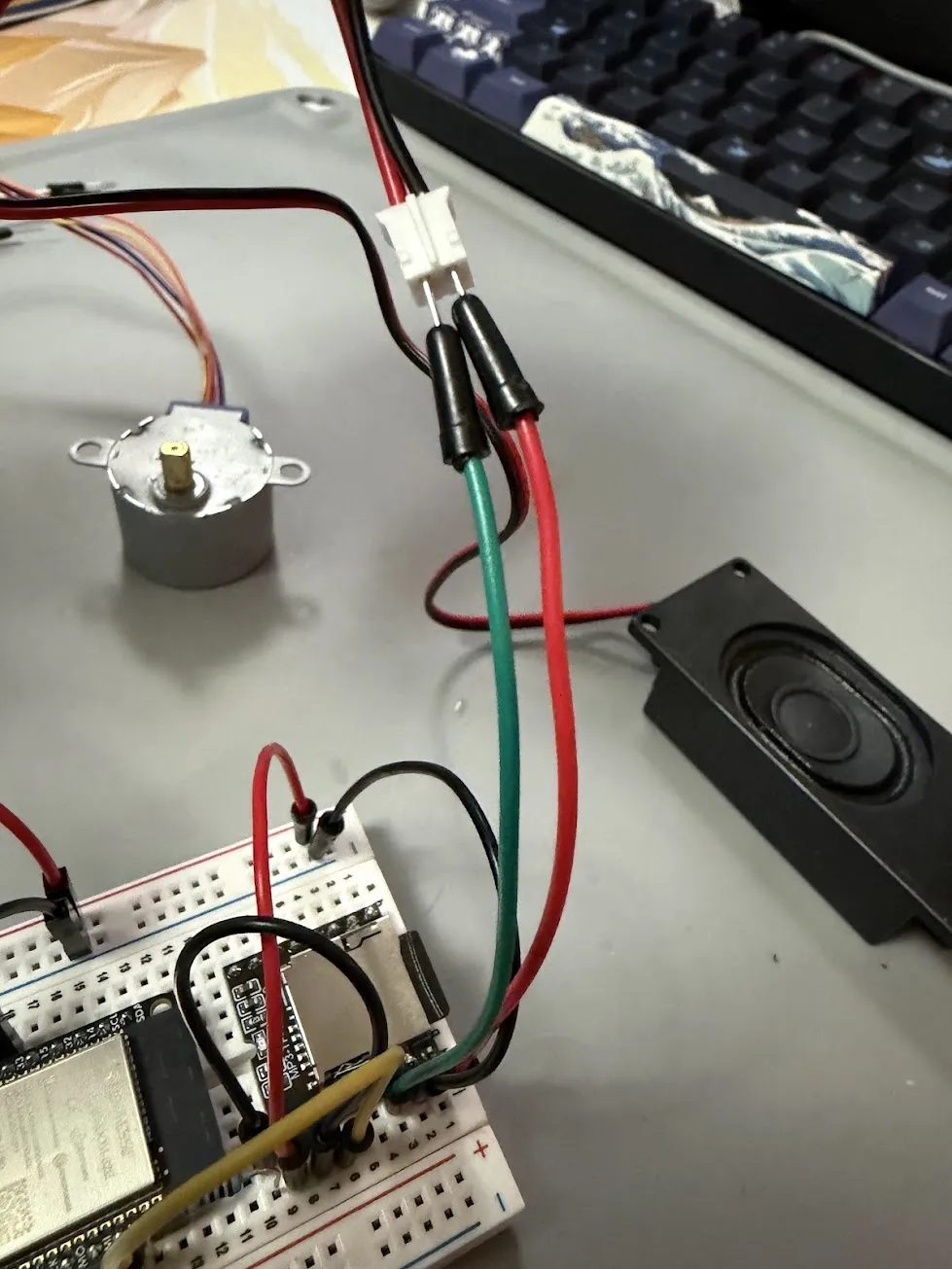
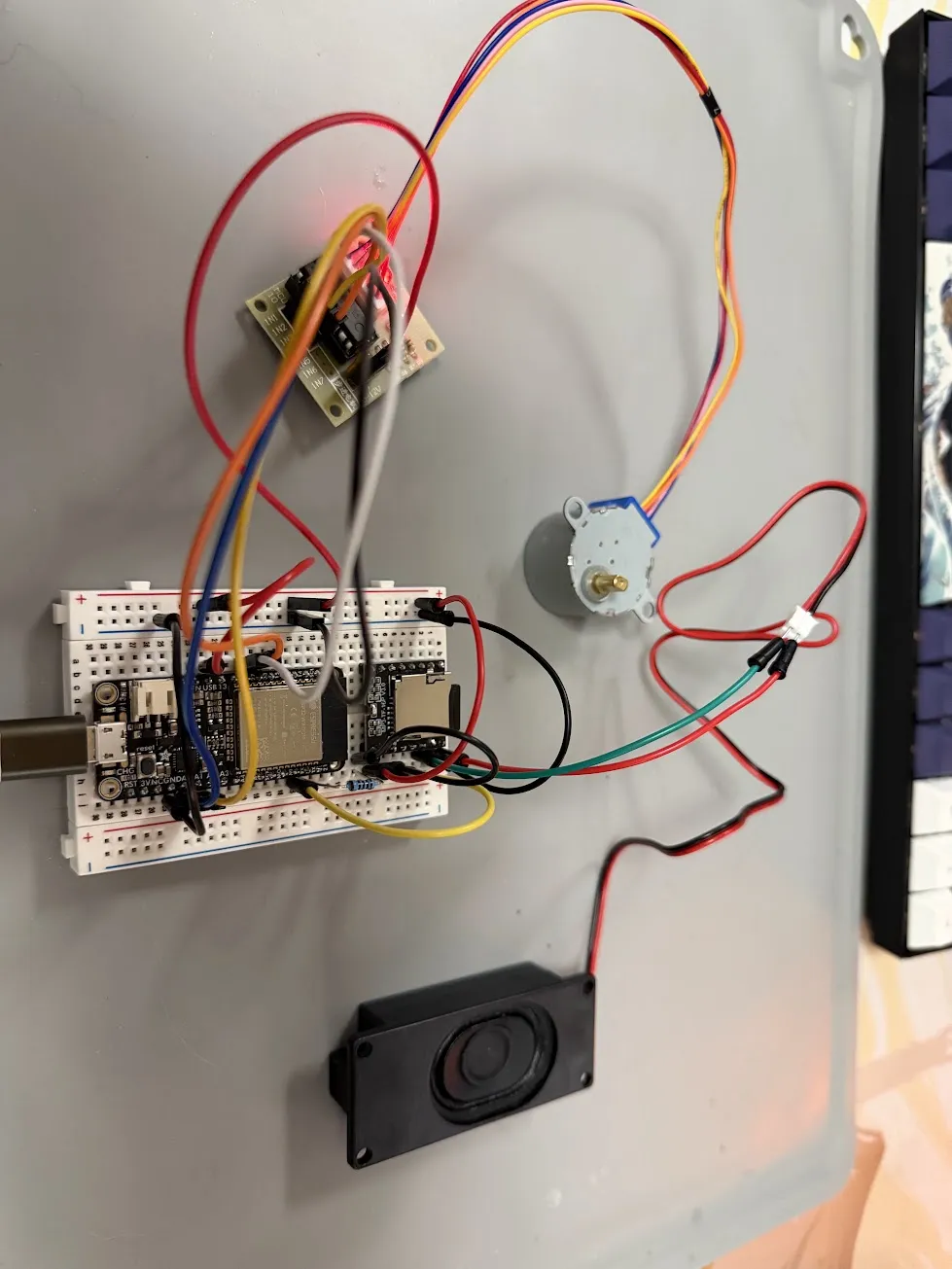
Everything wired, firmware flashed, serial monitor open. I typed the full sequence for the first time:
spinThe needle whipped around. The ratchet fired.
lockon northThe needle slowed. The ticking clock started. The motor crawled toward north with that satisfying deliberateness I’d been imagining for months. When it arrived — the bell fired.
gem harlen spentHarlen’s quadrant dimmed to amber ember. The ethereal sound played.
resetAll four quadrants returned to their pulsing gem colors. The magic healing spell played.
I said “it works” out loud to nobody.
The Full Audio Trigger Map
For reference, here’s every audio event wired in the firmware:
| Command | Audio |
|---|---|
spin |
Track 1 — ratchet (chaos begins) |
lockon [dir] |
Track 2 — ticking clock (crawling to target) |
| Motor arrives at target | Track 3 — bell (locked) |
gem [player] spent |
Track 4 — ethereal enchant (drain) |
gem [player] available / reset |
Track 5 — magic healing (restore) |
The compass command — the plain seek to a direction — intentionally has no audio. It’s meant to feel like a routine adjustment. The spin/lock-on sequence is the dramatic moment; the compass pointing somewhere is just navigation.
Where Things Stand
Two of the three hardware subsystems are validated on a real bench:
- Motor ✓ — seek, erratic, lock-on motion modes working at correct speeds
- Audio ✓ — all five tracks triggering at the right moments
- LEDs ⚠ — gem quadrant animations and all states verified in Wokwi, but the NeoPixel ring still needs to be physically soldered and wired. That’s the next hardware session.
The DM workflow runs entirely from a serial terminal right now. Next step is making it run from Discord instead — a Node.js bot that accepts !spin or !gem harlen spent from the DM in a private channel and fires the corresponding HTTP command at the ESP32.
That’s when this stops being a bench demo and starts being a D&D prop.
Future idea noted during testing: each player gets their own unique gem sound when their advantage is spent or restored, rather than the same tracks for everyone. Saving that for v2.